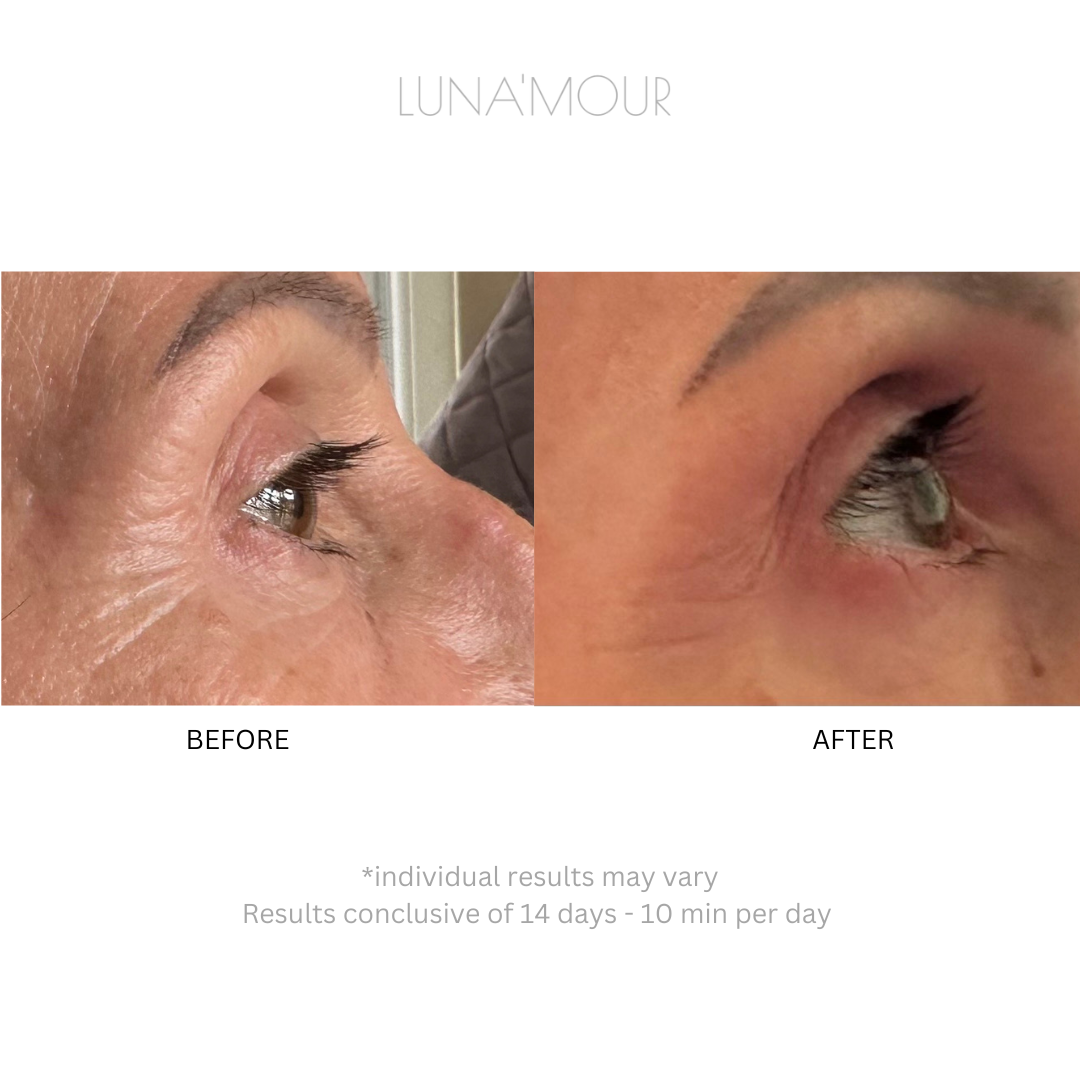
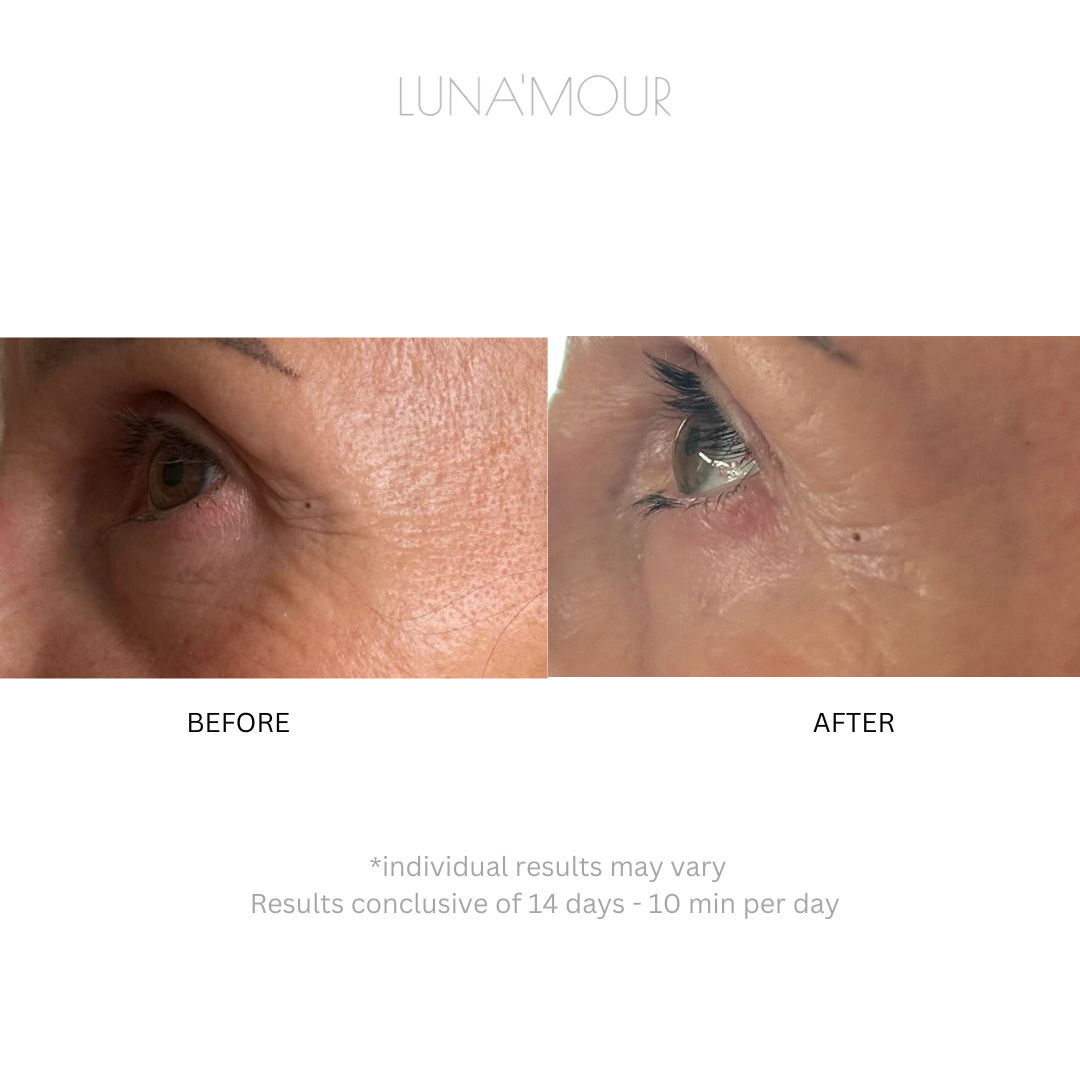
Discover the Onyx EyeFix PRO 2-Mode EMS & Heat Therapy Silicone Eye Mask by LUNA'MOUR, designed to revitalise the delicate eye area.
Crafted from lightweight, water-resistant, medical-grade silicone, this eye mask features dual controllers, allowing you to customise your treatment for each eye independently or simultaneously via a digital wireless remote.
With 9 intensity levels for each mode, hands-free operation, and treatments lasting just 10 minutes, the Onyx EyeFix PRO fits easily into a daily routine. Designed to support a brighter, firmer-looking eye area with consistent use.
Individual results vary and are not guaranteed.
- May help support a firmer, brighter-looking eye area with consistent use
- Completely hands-free — strap it on and carry on with your evening
- Ten-minute sessions with automatic shut-off, so you never have to watch the clock
- Dual controllers let you treat each eye independently, or both at once with the remote
- Lightweight, water-resistant silicone that wipes clean in seconds
Individual results vary and are not guaranteed.
The Onyx EyeFix PRO features two distinct modes designed to address different concerns. Each mode offers 9 intensity levels of Electrical Muscle Stimulation (EMS).
Boost Mode
A gentle tapping sensation designed to support circulation and revitalise tired-looking eyes, helping soften the appearance of dark circles and discolouration.
Repair Mode
A deeper, methodical pulsing that works the eye muscles through contraction and release. Designed to support the look of fine lines, wrinkles and crow's feet over time.
Heat therapy
Gentle warmth can be switched on in either mode to make each session more comfortable and help your eye cream absorb.
Dual controllers
Each eye can be treated independently, or both together using the wireless remote. Built from lightweight, water-resistant, medical-grade silicone.
Do not use the device on completely dry skin. Apply a thin layer of eye serum, cream or gel to the treatment area first. A water-based product works best. Before your first full session, patch test on a small area and wait 24 hours.
1 · Install the controllers
Align each controller with the groove of the silicone eye mask and gently insert it, pressing down until fully embedded. Repeat for the second controller.
2 · Power on
Press the power button on the left and right controllers through the silicone for about one second, then turn on the remote control the same way. Controllers can be run independently for each eye, or together using the remote.
3 · Choose your mode
Short press the M button on the remote to switch modes. M1 is Boost, a gentle tapping sensation. M2 is Repair, a deeper methodical pulsing. Short press the + or - buttons to change intensity across the 9 levels. Short press the power button to switch heat therapy on.
4 · Your session
Secure the mask to your face. The device shuts off automatically after 10 minutes. Use once a day, and no more than twice a day.
5 · Afterwards
Remove the controllers from the silicone mask. Clean the mask with a wet wipe or warm water and dry with a clean towel. Wipe the controllers and remote with a soft, dry cloth.
Do not use over broken or irritated skin. Speak to your physician first if you are pregnant or have a pacemaker or other implanted device.